freo.live

Independent radio. Entirely yours.

The whole station.
In your hands.

Your music. Your schedule. Your sound.

Freo is a self-hosted internet radio platform. Build your library, shape the week, take the decks, and discover what connects with your listeners.

Made for music people. Built to broadcast. Start with the setup guide →

YOUR NEXT GREAT HOUR STARTS HERE 01 / DJ BOOTH
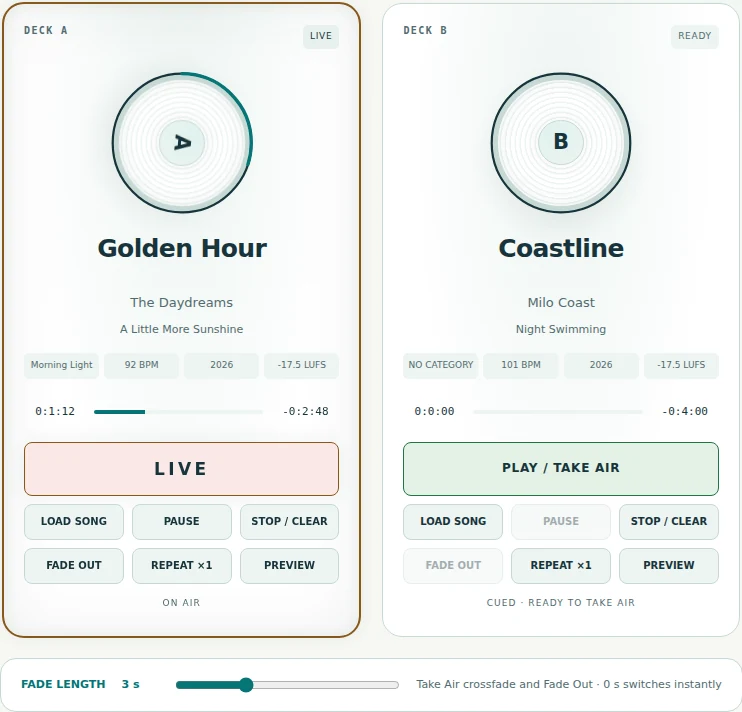
Meet your DJ Booth — Two decks. Private preview. Your moment to take the air.
Meet your DJ BoothTwo decks. Private preview. Your moment to take the air.
REAL FREO. BOTH APPEARANCES.Try Day / Night above

A station with your signature

From your first record
to your next great show.

The best stations have a point of view. Freo gives you the space to find yours—and the tools to bring it to life.

One connected workspace takes you from a carefully chosen library to a full week of programming, a hands-on DJ session, and a player your listeners can make part of their day.

  1. 01 / COLLECTFind your sound.
  2. 02 / COMPOSEGive it a rhythm.
  3. 03 / BROADCASTMake a connection.
  4. 04 / DISCOVERSee what resonates.

01 / Music & playlists

A collection becomes
a whole world of sound.

From the album you know by heart to tomorrow's discovery. Bring your music together, give it some order, and put it to work.

THE MUSIC LIBRARY

Every record, in its place.

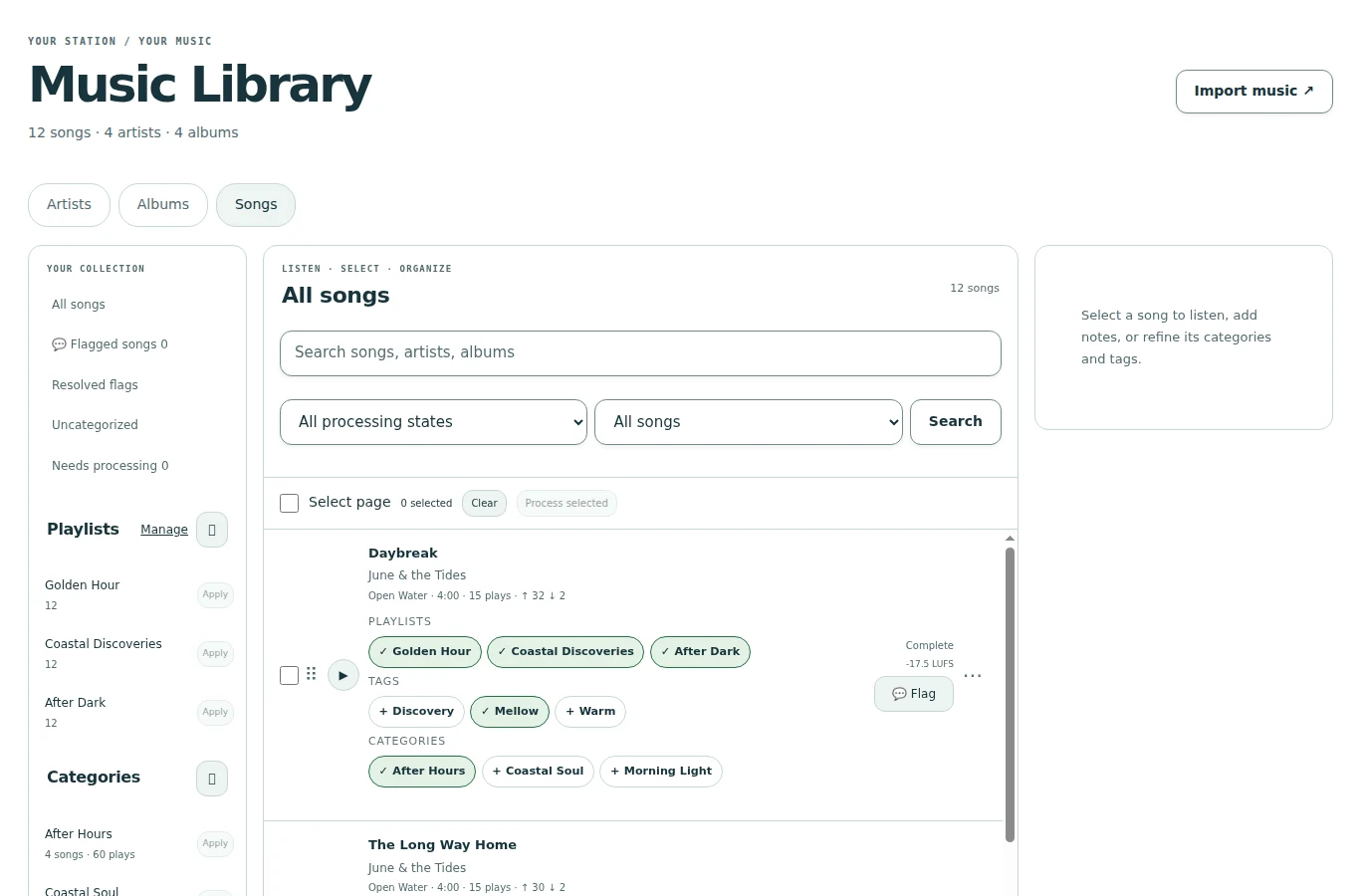
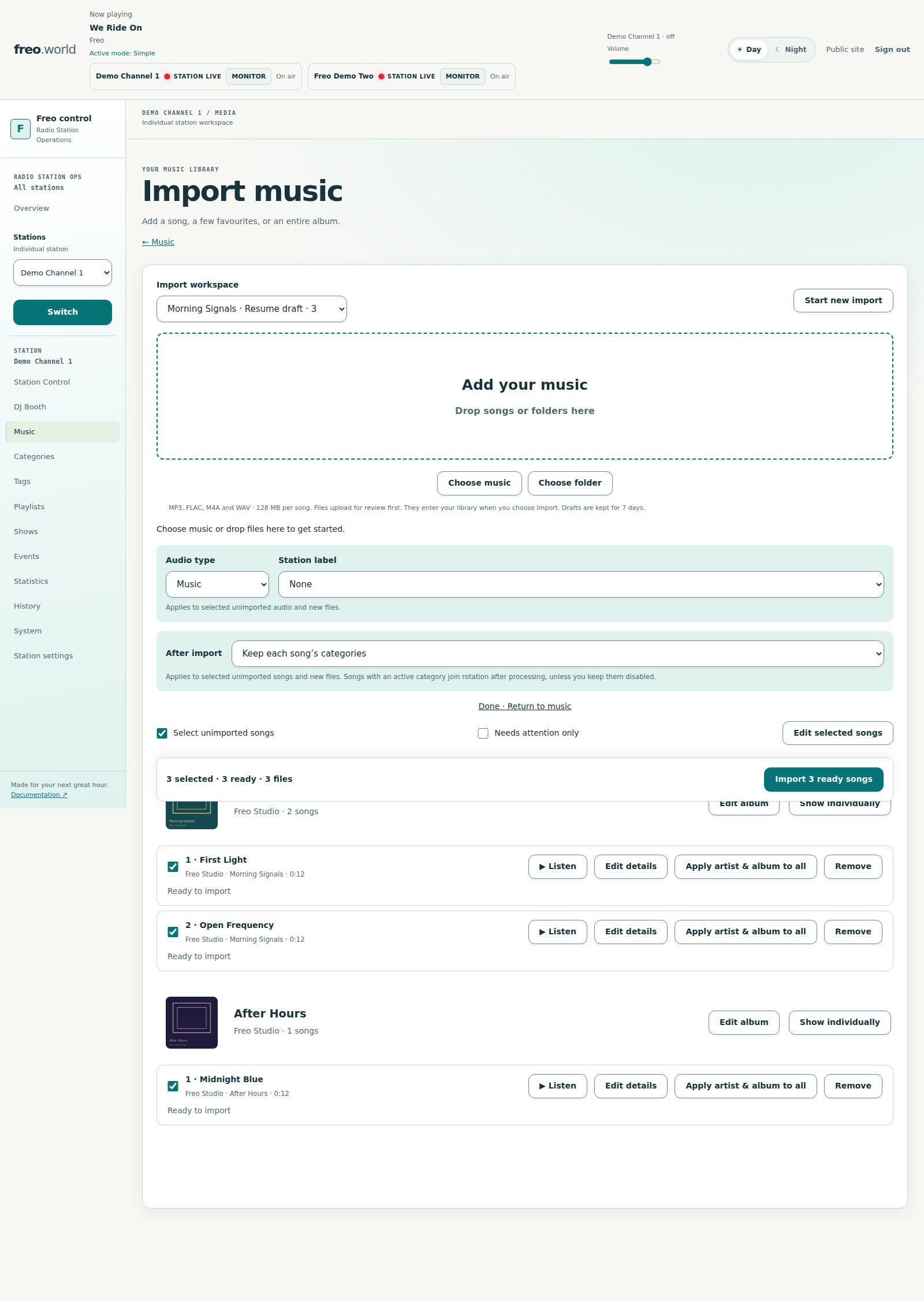
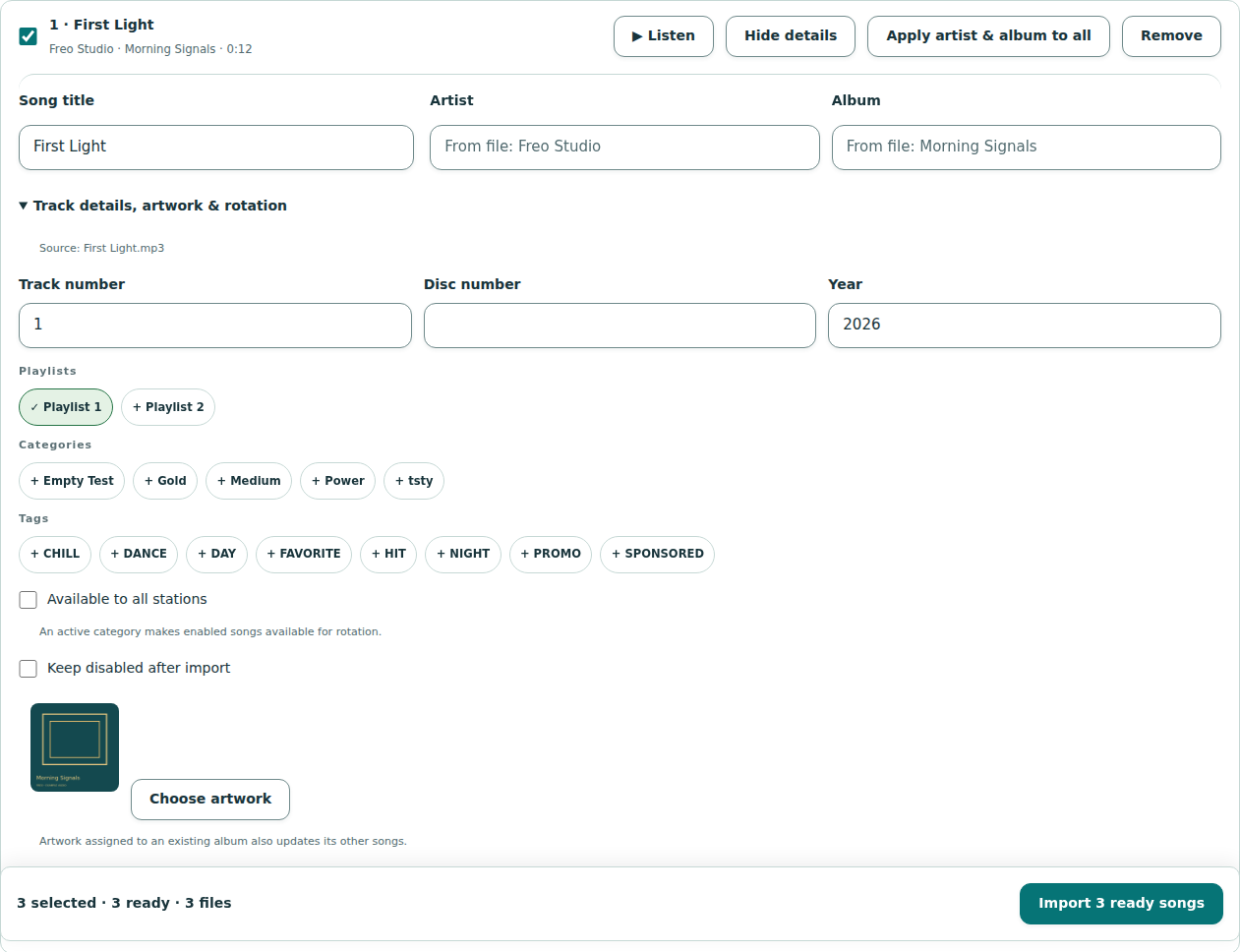
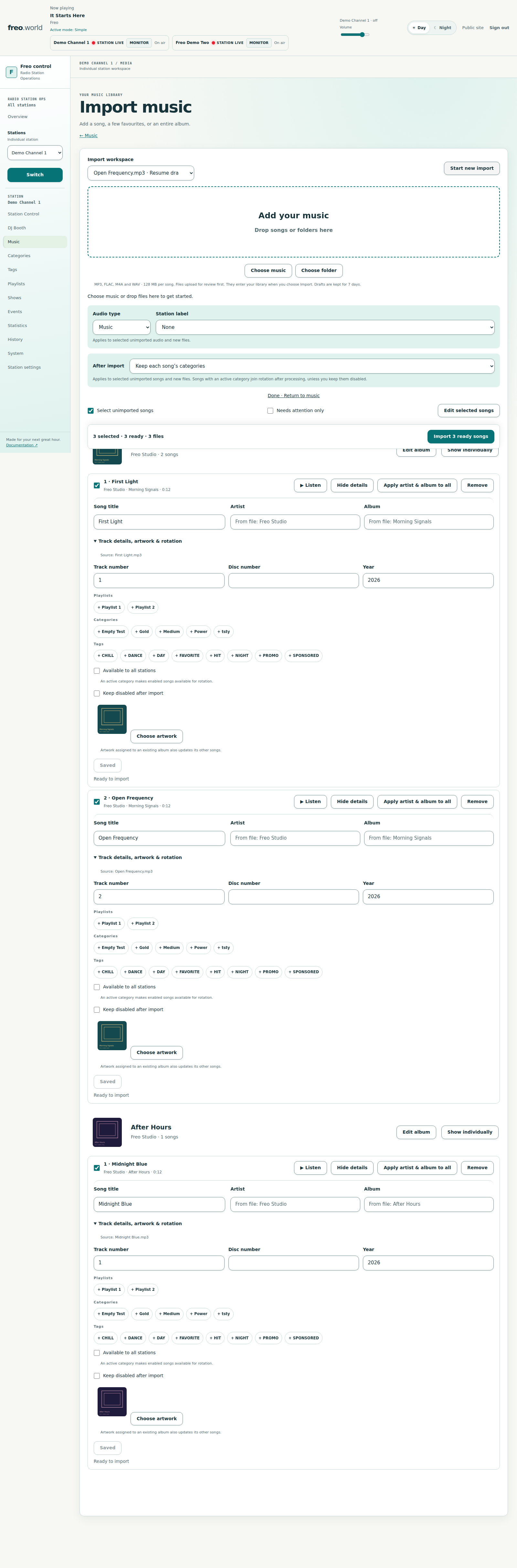
Browse artists, albums and songs. Import MP3 files or whole folders. Shape your library with artwork, colored tags, categories, notes and song flags.

Your music library — A connected Artist → Album → Song catalog, with categories and tags.
Your music libraryA connected Artist → Album → Song catalog, with categories and tags.
  • Folder & batch import
  • Private preview
  • Waveform & loudness analysis
PLAYLISTS WITH PURPOSE

Set the order. Or find a flow.

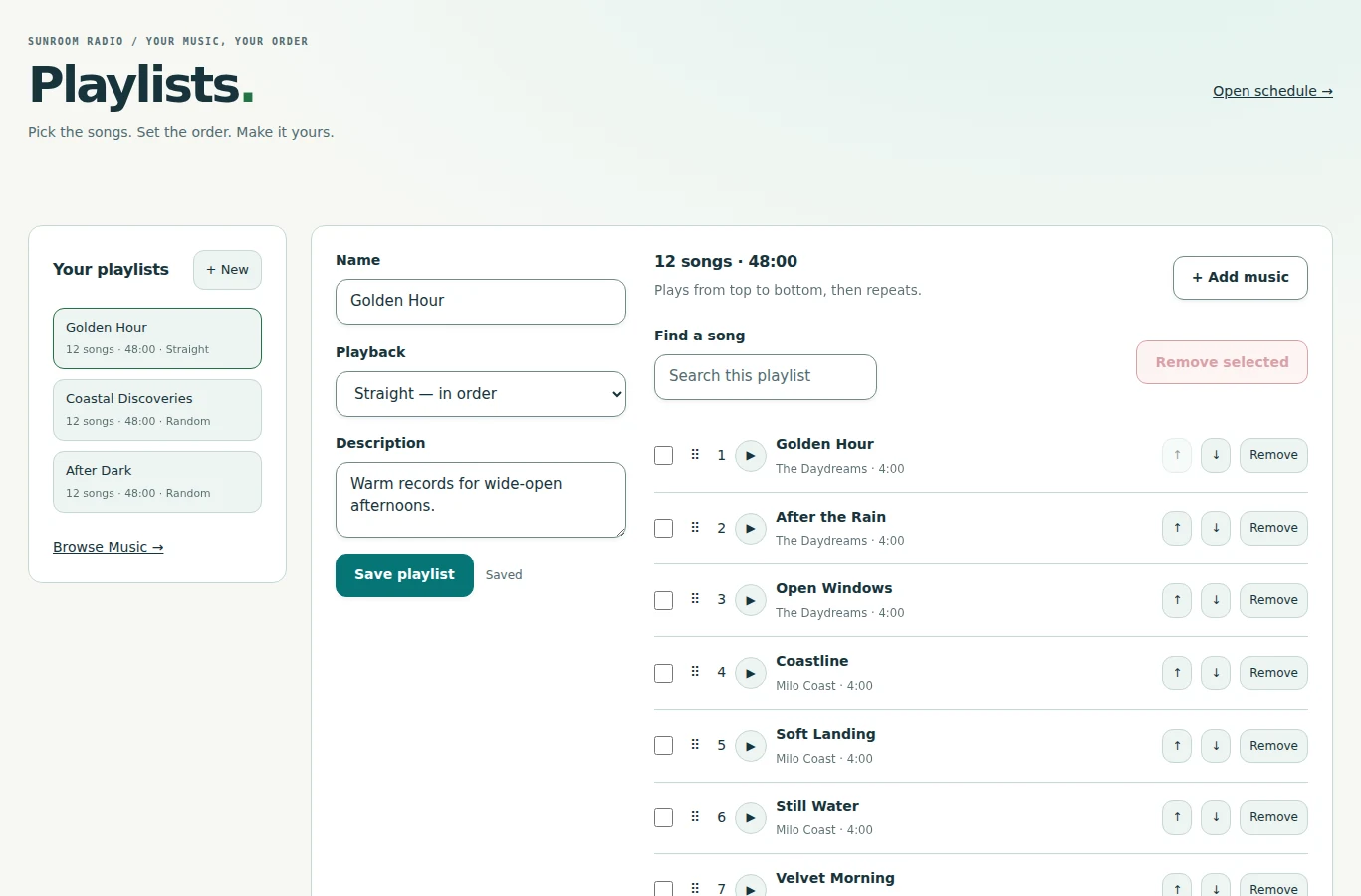
Build a Straight playlist or let Random work through a fresh cycle. Add songs, albums, artists or categories; drag to reorder, then bring your playlist into the schedule.

Playlists, your way — Ordered songs, flexible membership, and a place in the schedule.
Playlists, your wayOrdered songs, flexible membership, and a place in the schedule.
  • Straight or Random
  • Bulk additions
  • Reorder & Undo

A more consistent sound. Background analysis measures BPM, loudness and true peak. Non-destructive playback gain helps match song levels while keeping your originals intact.

Inside the music workspace ↗

02 / Your station, in time

Make every hour
feel like you.

A carefully planned week. A repeatable daily format. One great playlist on repeat. Choose the way you want to program.

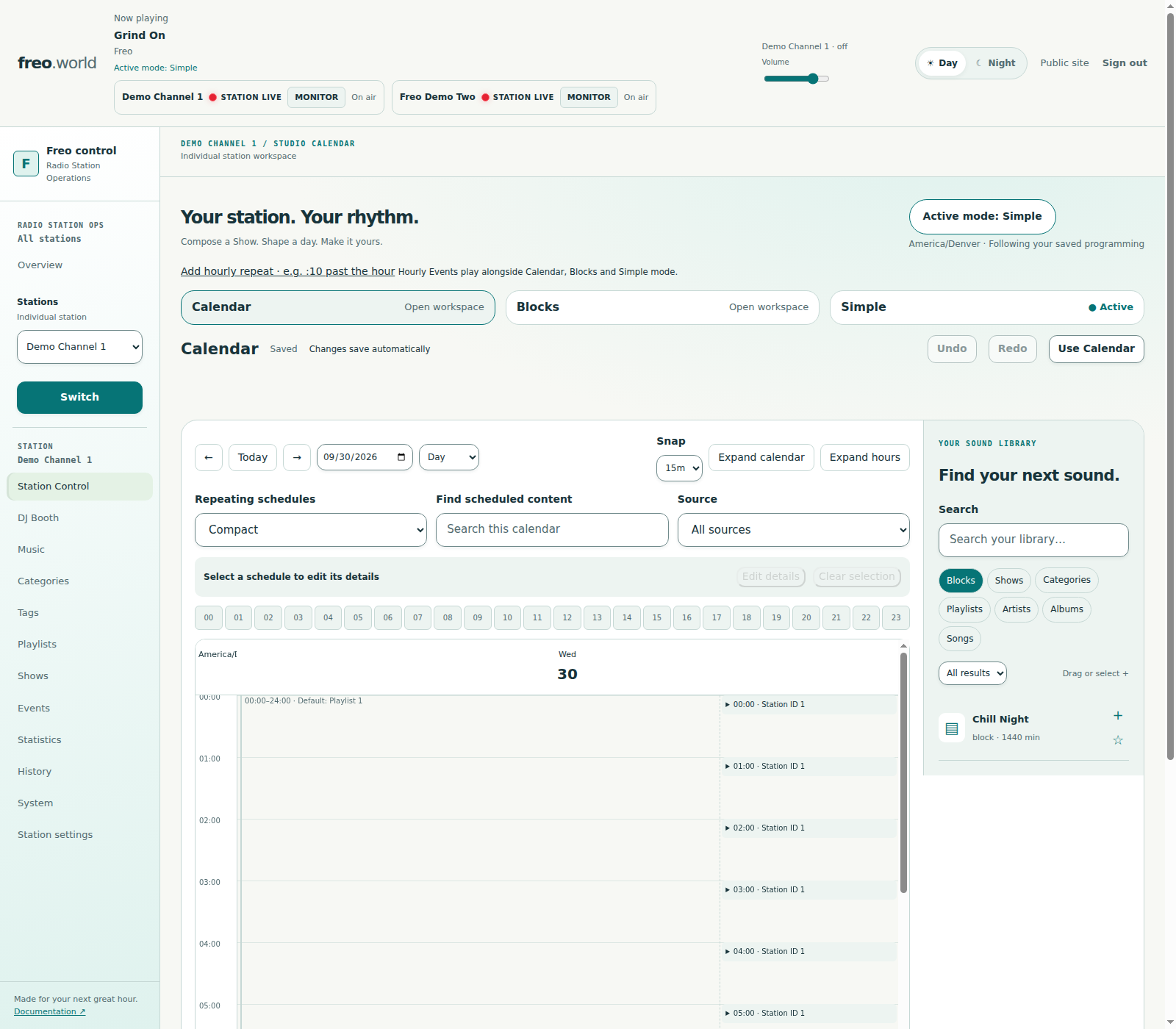
A rhythm for your whole week — Calendar brings your Shows and music sources together, in your station’s timezone.
A rhythm for your whole weekCalendar brings your Shows and music sources together, in your station’s timezone.
THREE WAYS TO FIND YOUR RHYTHM
01

Calendar

Place programs on dates and times. Repeat daily, weekly or monthly. Adjust a single occurrence or a whole series.

02

Blocks

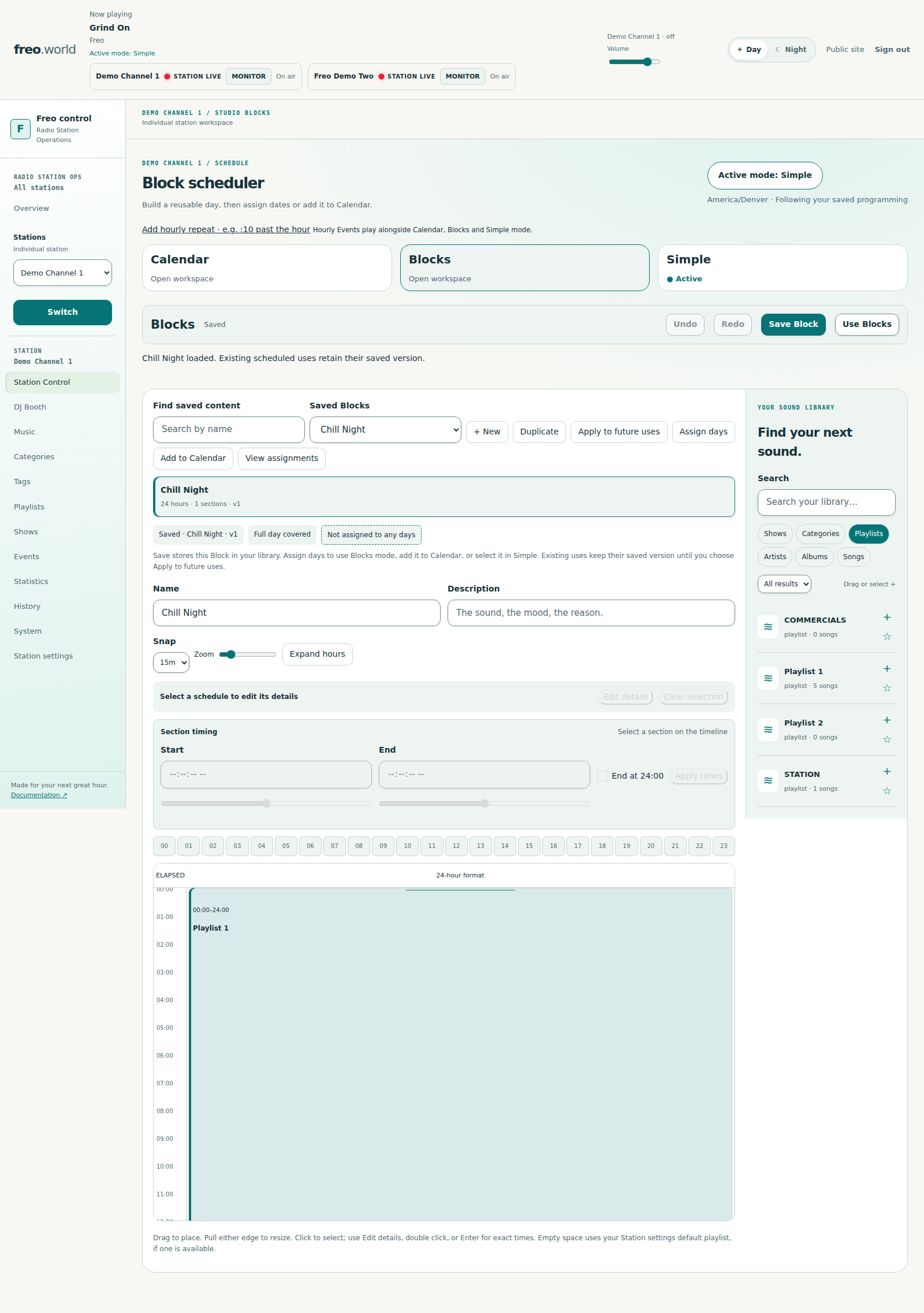
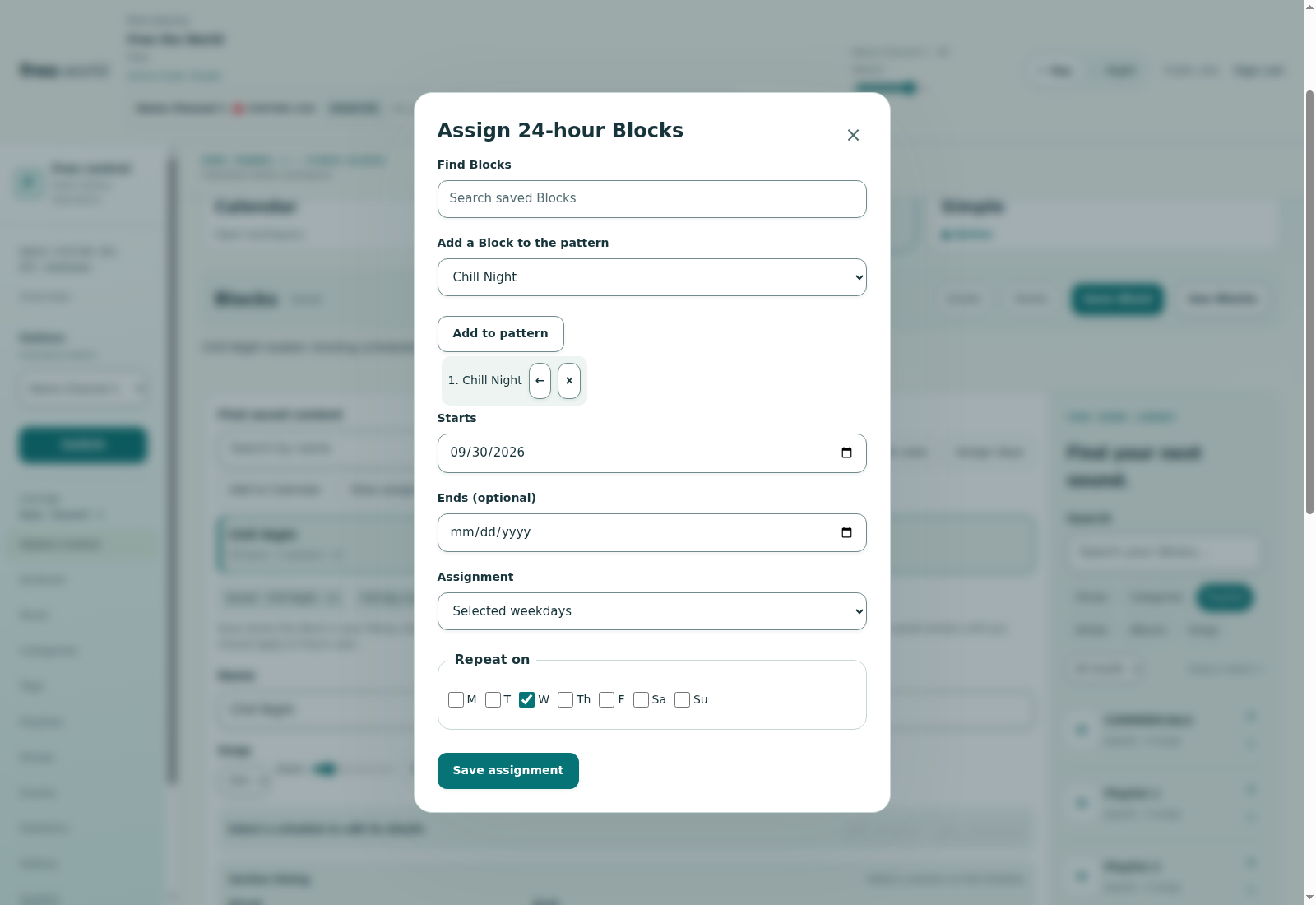
Compose a full 24-hour format. Assign weekdays, selected dates, or a pattern that rolls from day to day.

03

Simple

Choose a Show, playlist, artist, album, category or song. Let it repeat continuously.

REUSABLE SHOWS

Compose once. Make it a regular.

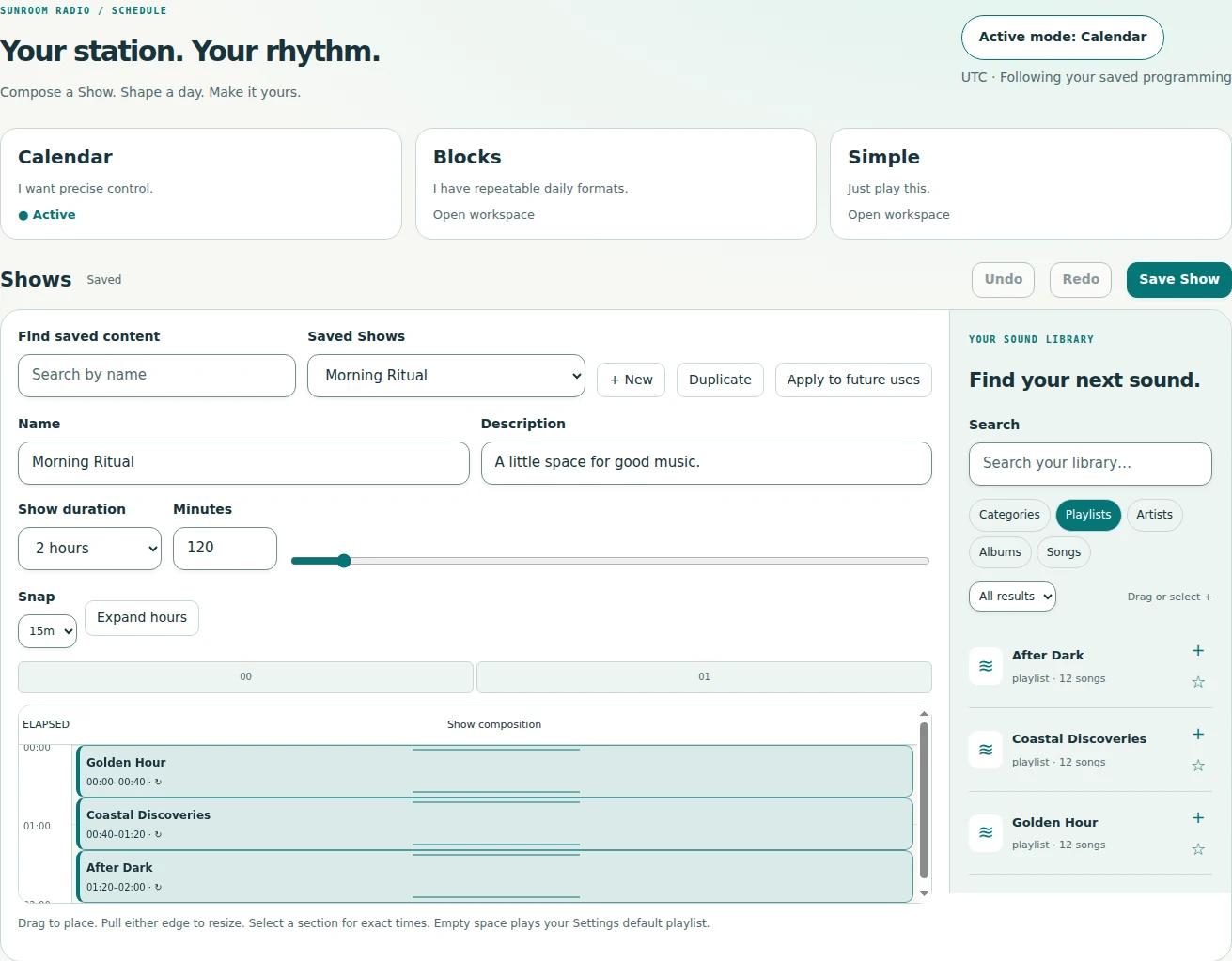
Build a Show from 15 minutes to 24 hours. Drag in sources, resize sections, combine artists and insert a song for a particular moment. Saved revisions keep future edits deliberate.

Compose a Show — A reusable timeline of playlists, artists, albums, categories and songs.
Compose a ShowA reusable timeline of playlists, artists, albums, categories and songs.

A DAILY FORMAT

A whole day, thoughtfully arranged.

Save a 24-hour Block and give every part of the day its own character. A configured default playlist fills the gaps; Events add IDs, announcements and other timed moments.

Build a 24-hour Block — Reusable daily formats, ready for weekday or rotating assignments.
Build a 24-hour BlockReusable daily formats, ready for weekday or rotating assignments.

Scroll across to explore

Choose your way to program
ModeYour starting pointMade for
CalendarDay, Week, Month or AgendaShows and music tied to dates, times and recurring series
BlocksA reusable 24-hour compositionWeekday formats, selected dates and rolling daily patterns
SimpleOne Show or music sourceContinuous playback with an explicit change when you're ready

Shows are reusable compositions, not a fourth mode. Events work across all three. Scheduling follows station-local time; normal program boundaries let the current song finish.

03 / Take the air

Automation when you want it.
Your energy when it matters.

Let the schedule run, take control of two decks, or bring your voice into the mix. The booth keeps your station's sound close at hand.

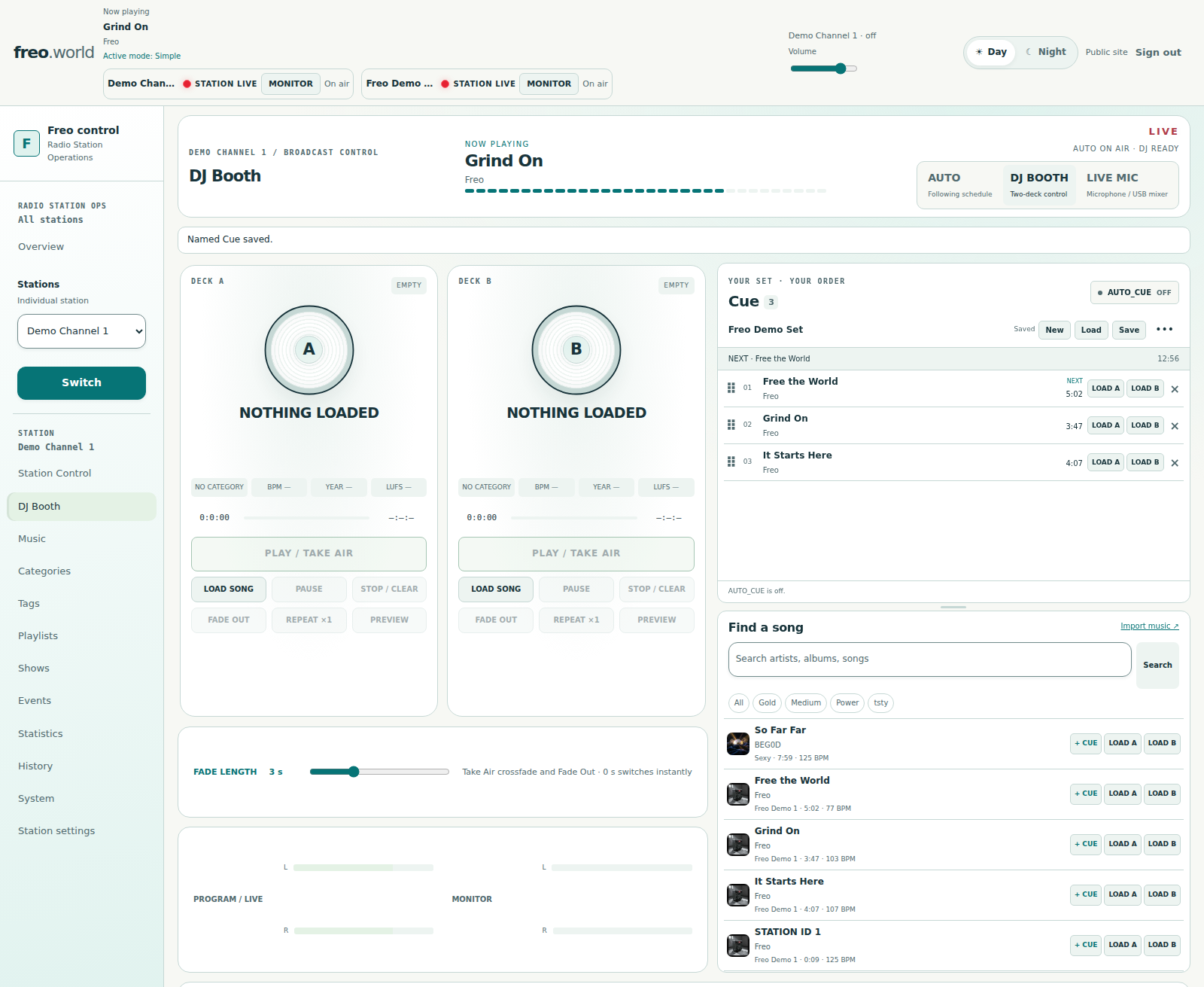
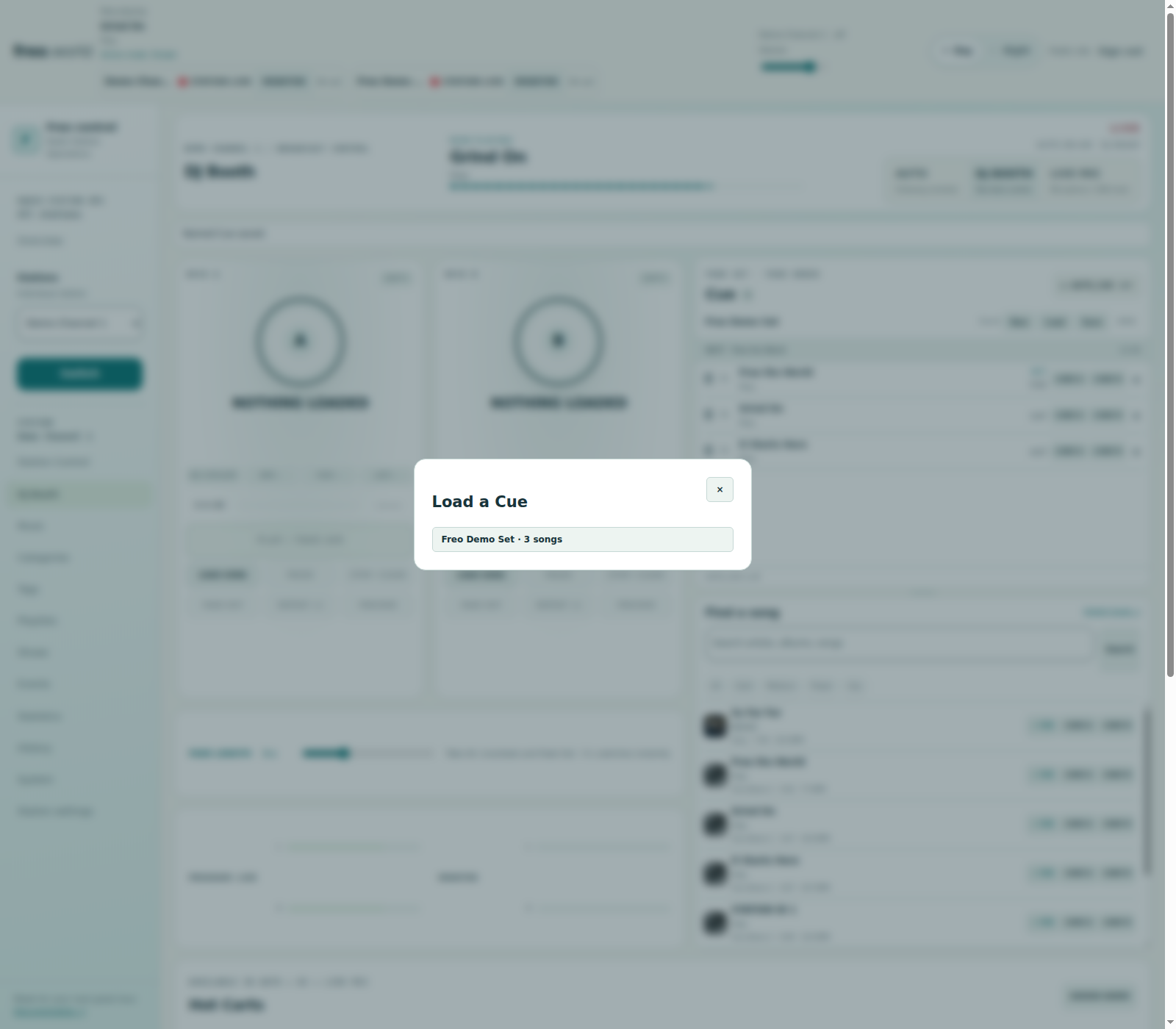
Two decks. One station. Your control. — Prepare the next song, preview privately, and take the air with a chosen fade.
Two decks. One station. Your control.Prepare the next song, preview privately, and take the air with a chosen fade.
THE DJ BOOTH

Make the transition
your own.

Load a song without interrupting Auto. Choose a fade from 0 to 10 seconds and Take Air. Pause, resume, repeat once or fade out. Return to your scheduled sound when your session is done.

  • Matching decks with observed Live and Ready states
  • Private song audition and persistent Master Monitor
  • Program and browser monitor meters
  • Eight hot carts and four station-ID slots
Explore the booth controls
AUTO

Let the station find its flow.

Keep an eye on the active program, current song and next selection. Monitor your stream and skip through a worker-controlled fade.

Following your schedule — Auto keeps scheduled playback and station status in view.
Following your scheduleAuto keeps scheduled playback and station status in view.
LIVE MIC · OPTIONAL

A voice behind the music.

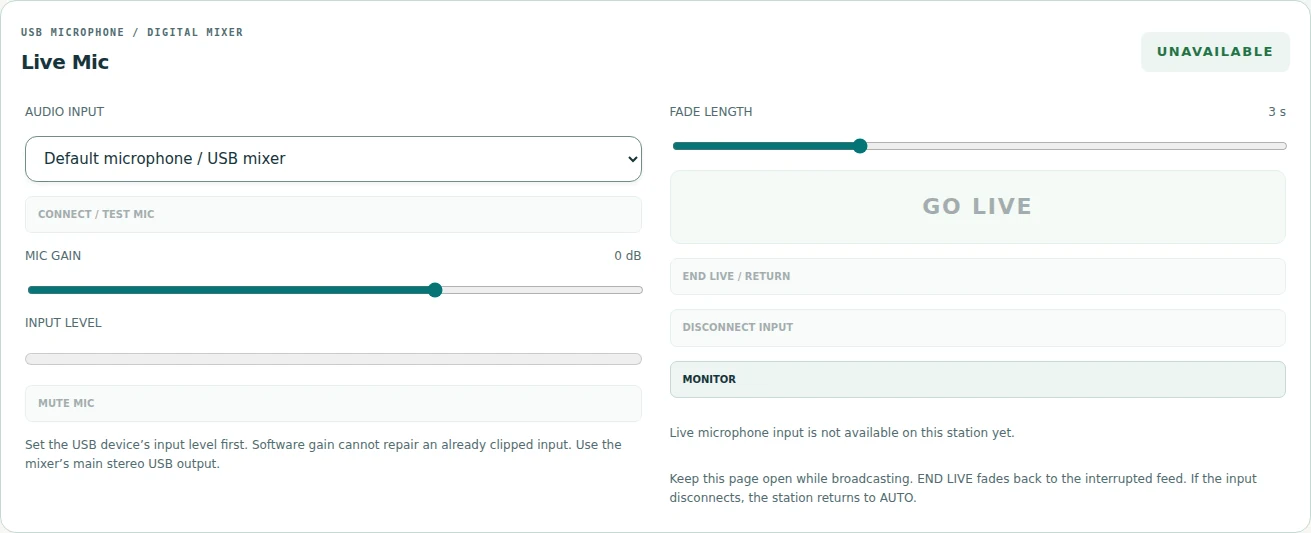
Test a browser microphone or USB mixer input off air. Set your gain, go live, then fade back to the interrupted feed.

Bring your voice on air — The Live Mic console, shown off air. Requires the optional gateway and working WebRTC connectivity.
Bring your voice on airThe Live Mic console, shown off air. Requires the optional gateway and working WebRTC connectivity.

YOUR STATION'S SIGNATURE

Make a moment.
At the press of a cart.

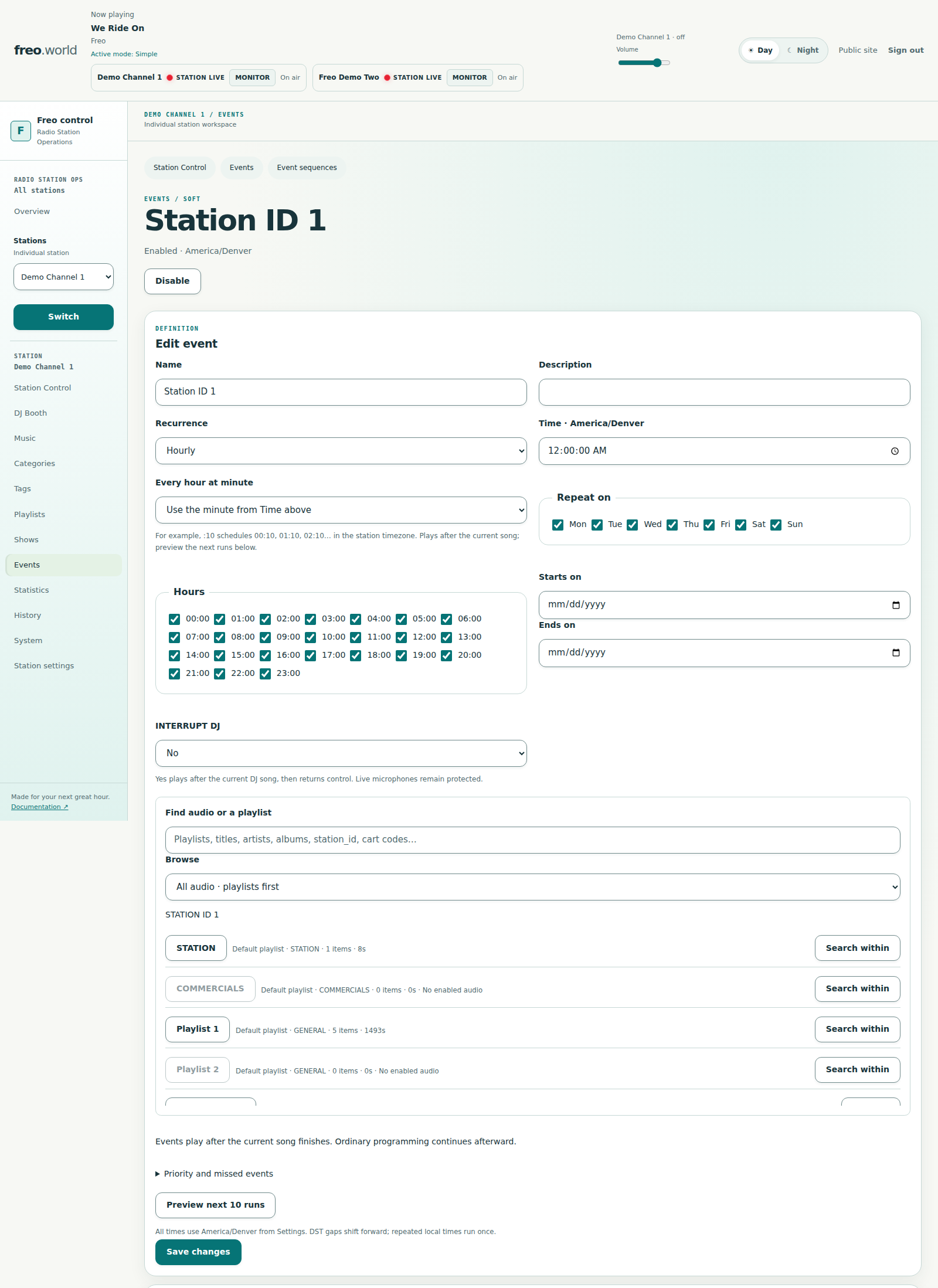
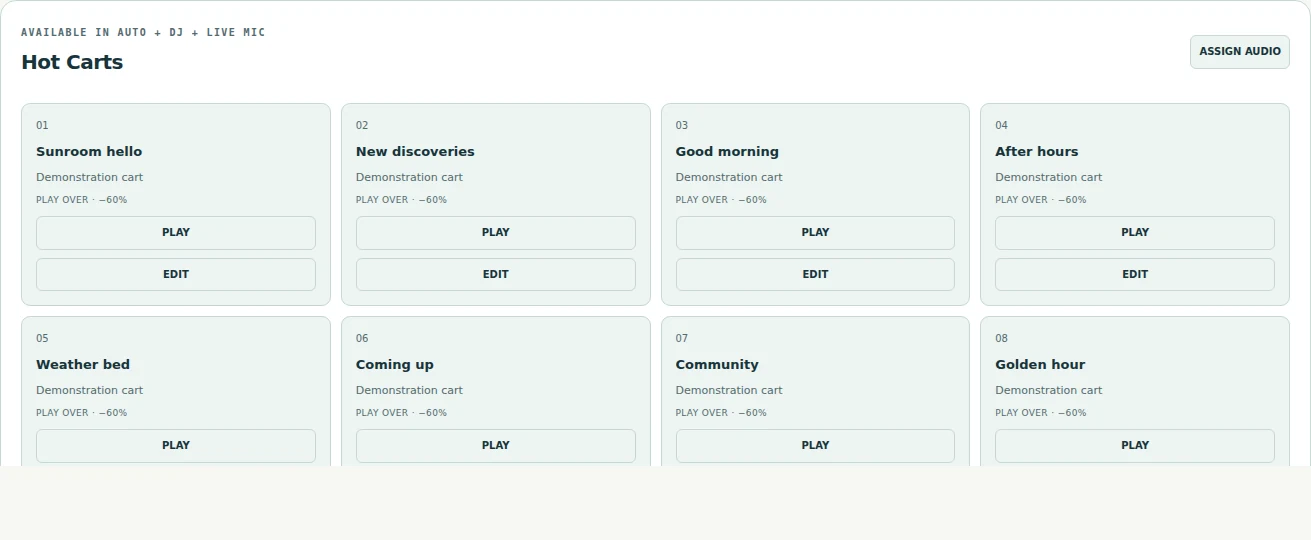
Fire an ID, sweeper or promo. Play over the music with ducking, or take over and resume the interrupted audio afterward. The same cart wall stays with you in Auto, DJ and Live Mic.

Your carts, always close — Assignable audio, clear labels, and play-over or takeover behavior. One cart plays at a time.
Your carts, always closeAssignable audio, clear labels, and play-over or takeover behavior. One cart plays at a time.

04 / Your sound, in numbers

Know what plays.
See what connects.

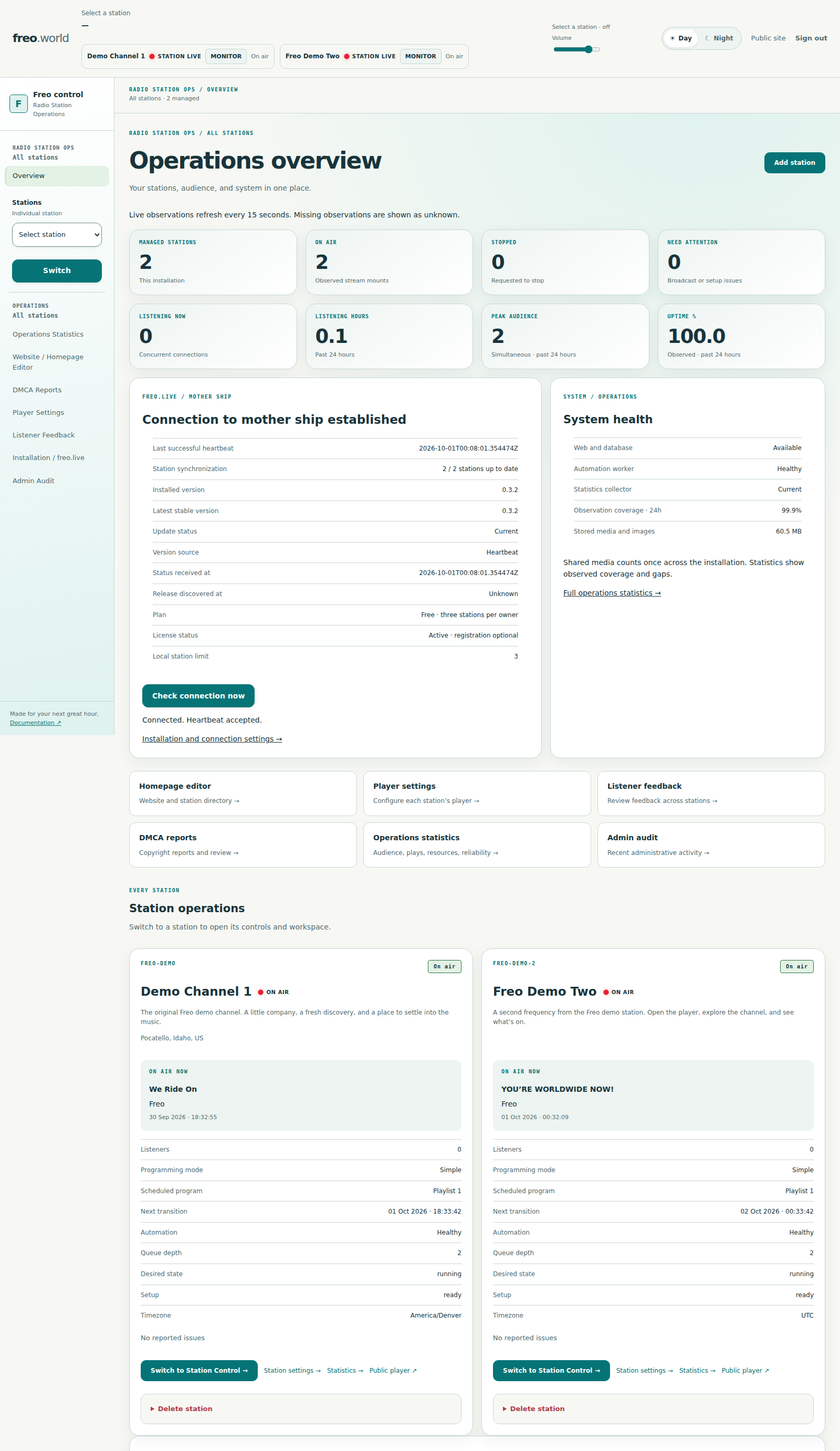
Go beyond a listener counter. Explore your audience, music, feedback, resources and broadcast reliability, across one channel or the whole installation.

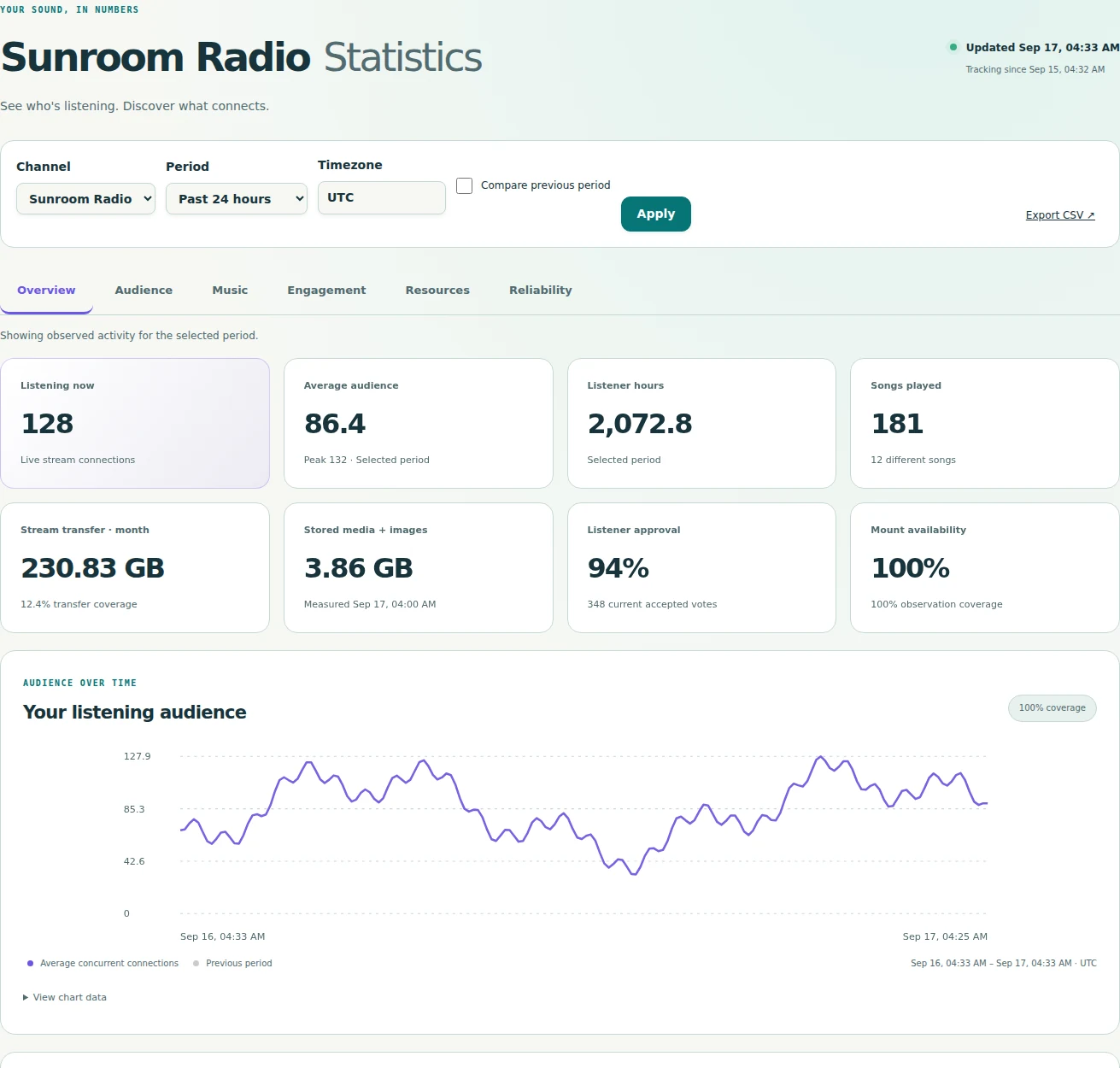
Your station, in perspective — Audience, confirmed plays and listener preferences. Demonstration data.
Your station, in perspectiveAudience, confirmed plays and listener preferences. Demonstration data.
AUDIENCE & REACH

A world around your station.

Follow current, average and peak connections, listener-hours and approximate geography. Keep stream listeners separate from player-page visitors.

MUSIC & ENGAGEMENT

Find the songs that resonate.

See confirmed song and artist plays, likes, dislikes and approval. Compare periods and take the data with you as CSV.

RESOURCES & RELIABILITY

Keep the bigger picture in view.

Track stream transfer, storage, mount availability, low audio levels and broadcast outcomes. Missing observations stay visible as gaps.

Every connection has a place — A locally rendered map of approximate locations. Demonstration data; connections are not unique people.
Every connection has a placeA locally rendered map of approximate locations. Demonstration data; connections are not unique people.
LOCAL BY DESIGN

Analytics uses a local geographic database and locally served maps. Raw listener addresses and user agents are not stored in analytics.

Understand the numbers ↗

05 / On the other side of the speakers

A little place
to tune in.

Your station deserves a listening experience with as much personality as its music.

Give it a cover, artwork and your own colors. Share announcements and socials. Publish the schedule, make room for sponsors, and hear back through song votes and private comments.

  • Record-inspired player with Day and Night appearances
  • Published Day, Week and Month schedules
  • Custom station domains and stable listening links
  • Mobile listening controls and reduced-motion options
Find a station
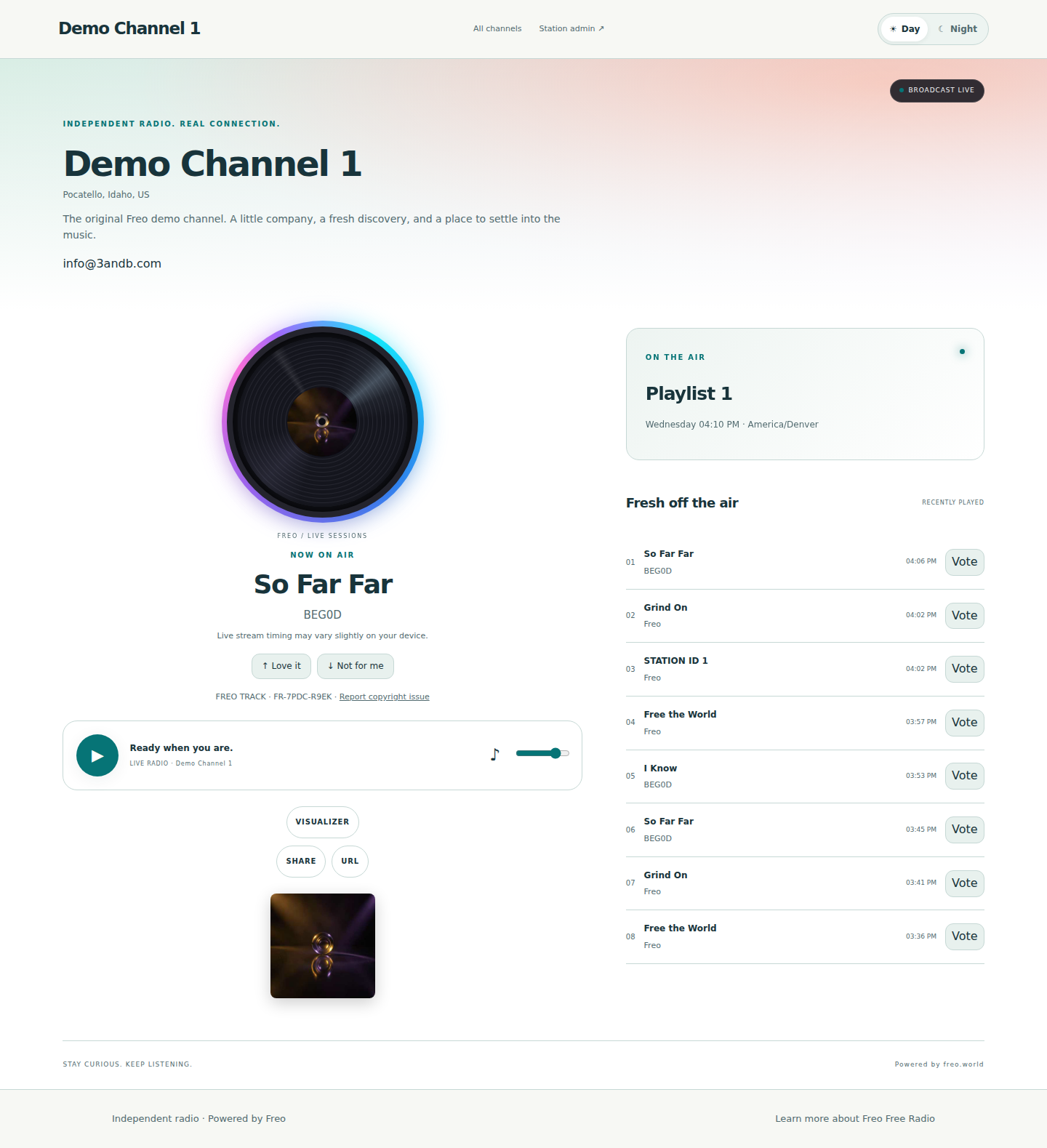
A home for your station — Your cover, your music, your public schedule. A player with its own personality.
A home for your stationYour cover, your music, your public schedule. A player with its own personality.
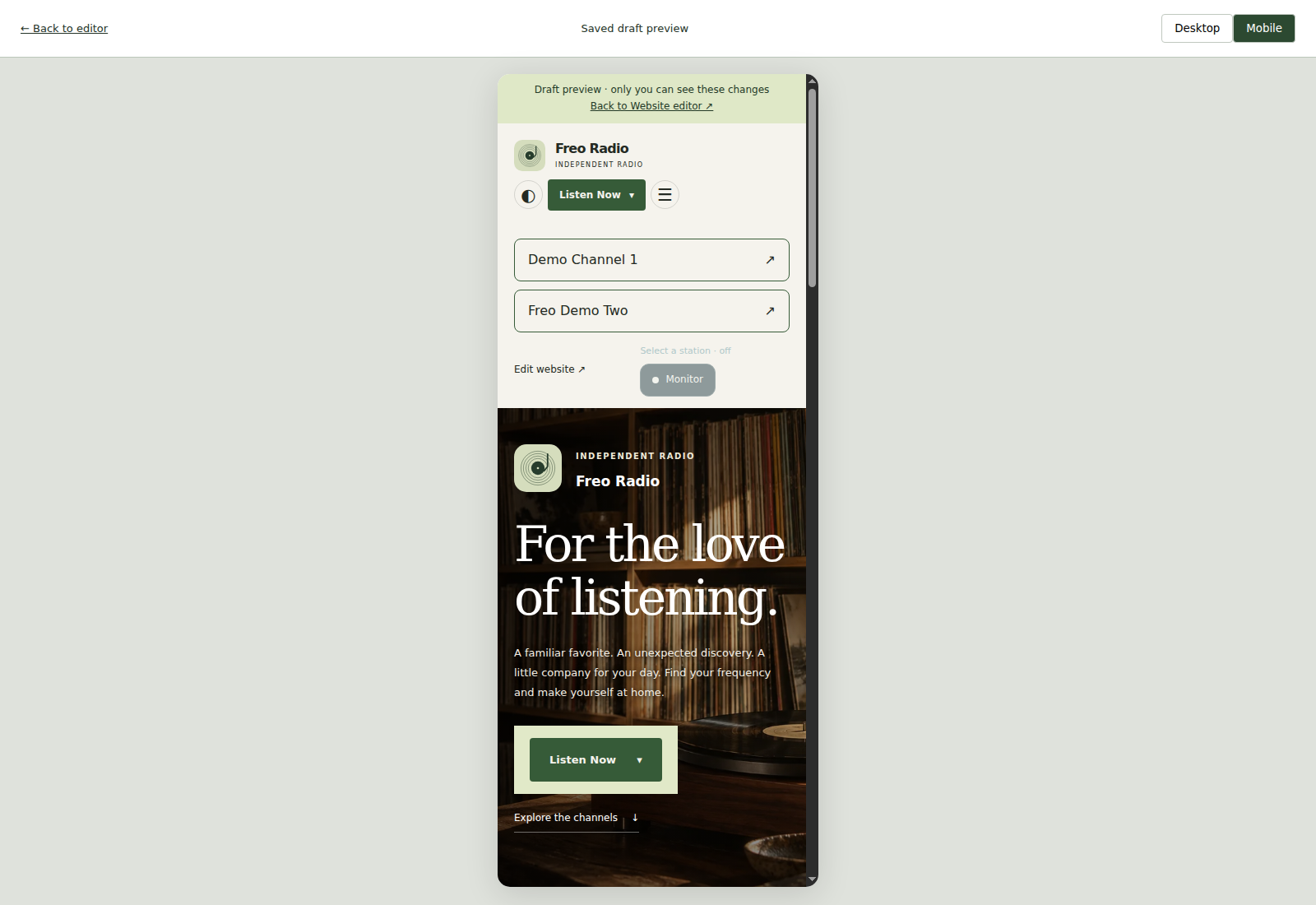
Made for listening anywhere — The real Freo player at phone width.
Made for listening anywhereThe real Freo player at phone width.

The details make the station

Small touches.
Serious capabilities.

From your first import to the commercial log. Explore the tools that make Freo a complete station workspace.

01 Music & playlists

Read the guide ↗

Scroll across to explore

Music & playlists capabilities
CapabilityWhat Freo includesIn practice
A connected catalogArtist, album and song views; metadata, artwork, notes and review flags.Search, filter and organize in one workspace.
Import & analysisMP3 file, batch and folder uploads; progress, duplicate checks, BPM, waveform, loudness and peak analysis.Background processing keeps preparation out of the broadcast path.
Categories & tagsMultiple categories, colored tags, bulk assignment and membership Undo.Each channel keeps its own organization.
PlaylistsStraight order or non-repeating Random cycles; bulk additions, reordering and scheduling.Category, artist and album additions copy the current songs.
Preview & level matchingPrivate audition, seeking, original/normalized listening and station loudness targets.Playback gain preserves original audio files.

02 Programming & on-air moments

Read the guide ↗

Scroll across to explore

Programming & on-air moments capabilities
CapabilityWhat Freo includesIn practice
Calendar, Blocks & SimpleThree scheduling modes, reusable Shows, recurring placements and saved revisions.A configured, playable default playlist fills gaps.
Rotations & clocksExplicit category rotations, repeating clock slots, previews and track/artist separation.Advanced rotation rules are distinct from visual-scheduler shuffle cycles.
Timed eventsSongs, IDs, announcements and sequences; one-time, weekly and hourly series.Hard, soft and non-interrupting policies; timing windows and outcomes.
Event sequences & stopsetsOrdered music/imaging snapshots, item failure policies and execution history.Separate from the scheduler’s 24-hour Blocks.
Traffic planningAdvertisers, campaigns, creatives, dayparts, daily logs, makegoods and CSV as-run reports.Advanced commercial planning; billing and invoicing are not included.

03 Booth & live audio

Read the guide ↗

Scroll across to explore

Booth & live audio capabilities
CapabilityWhat Freo includesIn practice
Two-deck controlLoad, Take Air, pause, resume, repeat once, clear and fade out.Choose a 0–10 second transition; prepare while Auto plays.
MonitoringPersistent Master Monitor, listening volume, private preview and program/monitor meters.Program levels come from the worker; monitor levels measure browser audio.
Carts & imagingEight hot carts, four station-ID slots, imaging groups, sweepers, promos and jingles.Play over with ducking, or take over and resume. One cart at a time.
Live MicOff-air input testing, software gain, mute, fades and disconnect fallback.Optional WebRTC gateway; browser mic or OS-recognized stereo USB input.

04 Audience & listener experience

Read the guide ↗

Scroll across to explore

Audience & listener experience capabilities
CapabilityWhat Freo includesIn practice
Audience & geographyCurrent, average and peak connections, listener-hours, approximate map and period comparisons.Connections are sampled; they do not identify unique people.
Music & engagementConfirmed song/artist plays, likes, dislikes, approval and moderated private comments.Queue entries and private previews do not count as plays.
Resources & reliabilityStream transfer, storage, mount availability, low program levels and broadcast outcomes.Coverage gaps remain visible. Stream bytes exclude website/proxy overhead.
Branded listeningCovers, artwork, palettes, announcements, socials, sponsor slots and mobile controls.Day/Night and reduced-motion preferences.
Public schedulesPublished Day, Week and Month listings, automatic schedules and custom overrides.Listener-facing listings are separate from engine control.
Reports you can useOverall or per-channel statistics, timezone-aware dates, tables and CSV export.Six views: Overview, Audience, Music, Engagement, Resources, Reliability.

05 Station & project operations

Read the guide ↗

Scroll across to explore

Station & project operations capabilities
CapabilityWhat Freo includesIn practice
Multiple channelsSeparate station engines and streams; shared artists, albums and songs without duplicated audio.Configured station limits apply. Current admins manage all stations.
Identity & domainsStation logos, location, descriptions, stable URL aliases and verified custom domains.Contacts stay private unless published; operators configure DNS and HTTPS.
History & accountabilityConfirmed playback starts, admin audit records, health views and durable control intent.Controls recheck the intended song before changing playback.
Copyright reviewPermanent public Track IDs, optional ISRC, reporting form and private case management.Review tools do not establish ownership or music licensing.
Installation integrationPermanent station UUIDs, optional registration, aggregate reports, directory metadata and cached entitlements.The Central reporting service runs separately from station playout.

Explore the traffic workflow, custom domains and copyright review in detail. Freo is actively developing; see the setup notes for current requirements and release limits.

Your next great hour starts here

Make it yours.
Then make it heard.

Your radio runs on your server. Freo Live is where you register your site, connect your installation and manage its license.

  1. 01 / SET THE STAGE

    Install Freo.

    Bring your server and your music. The setup guide walks through the requirements.

    Read the setup guide ↗
  2. 02 / MAKE IT YOURS

    Register your site.

    Create your owner account and station profile, verify your email, then connect Freo using your activation code.

    Register your site ↗
  3. 03 / FIND YOUR RANGE

    Choose your capacity.

    Start with the included allowance. Manage your installation and explore additional channel licensing when you need it.

    How licensing works →

Your station. Your server.

Good radio.
Solid foundations.

Freo connects a browser workspace to dedicated broadcast services. Your library, programming and confirmed history live in PostgreSQL; each managed station gets its own Liquidsoap process.

  1. CREATE & CONTROLFreo workspaceFlask + PostgreSQL
  2. SELECT & COORDINATEAutomation workerDurable programming & intent
  3. PLAY & MIXLiquidsoapOne engine per station
  4. DELIVER & LISTENIcecast + NginxYour public radio stream

Dedicated ingest and statistics workers support the station. Optional WebRTC microphone audio joins the engine through a separate gateway. The web app records validated commands; the automation worker controls the private playout connection.

Scroll across to explore

Under the hood
LayerTechnologyWhat it does
WorkspacePython · Flask · GunicornBrowser management, APIs and authenticated control requests
Station dataPostgreSQLMusic, schedules, command intent and confirmed playback history
Audio & deliveryLiquidsoap · Icecast · NginxStation playback, transitions and public listener streams
Media preparationFFmpeg · ffprobeValidated imports, metadata and background audio analysis
Live microphoneWebRTC / Opus · aiortcOptional browser microphone and USB audio input gateway
OperationsUbuntu 24.04 · systemdSeparate services, workers, timers and health checks
Explore the source

A side project with a very good soundtrack

We needed three channels.
So we built a station.

A love of music. A habit of making things. And one very familiar question: “What if it could also…?”

Meet the people behind the play button ↗

Make room for your next idea

Your station starts
with your sound.

Bring the music and the point of view. Explore the setup guide, see how Freo fits your server, and make your next great hour.

PROJECT STATUS

Freo is an actively developing project for self-hosted internet radio. The production target is Ubuntu 24.04. A separate fresh-VM installation acceptance test remains outstanding; start with the requirements and current installation notes.

A few things to know.

What do I need to run Freo?

An Ubuntu 24.04 server, your music, and the services described in the setup guide. Plan for storage and stream bandwidth. Production browser access needs HTTPS. Station broadcast start/stop remains a server CLI operation.

Can I run more than one station?

Yes. Freo manages separate station engines and stream mounts. Share artists, albums or songs across channels without copying the audio. Station limits depend on installation configuration and any configured entitlements; current admin accounts manage all stations.

Can I broadcast from a microphone or mixer?

Yes, with the optional Live Mic gateway installed and configured. Use a browser microphone or an OS-recognized stereo USB mixer input. HTTPS and working WebRTC connectivity are required; some networks need TURN.

What does “self-hosted” mean here?

The application, database and audio services run on your server. Local statistics are collected separately from optional Central integration, which supports registration, aggregate reporting, directory metadata and cached entitlements. See the integration guide for details.

Where can I learn about the project and its license?

The source and documentation are available on GitHub. Consult the repository for current source-code reuse terms. For installation entitlements and additional channel capacity, visit Freo Live licensing. These are separate from the rights needed to broadcast music.

INSIDE FREO · DEMONSTRATION STATION

Explore Freo